
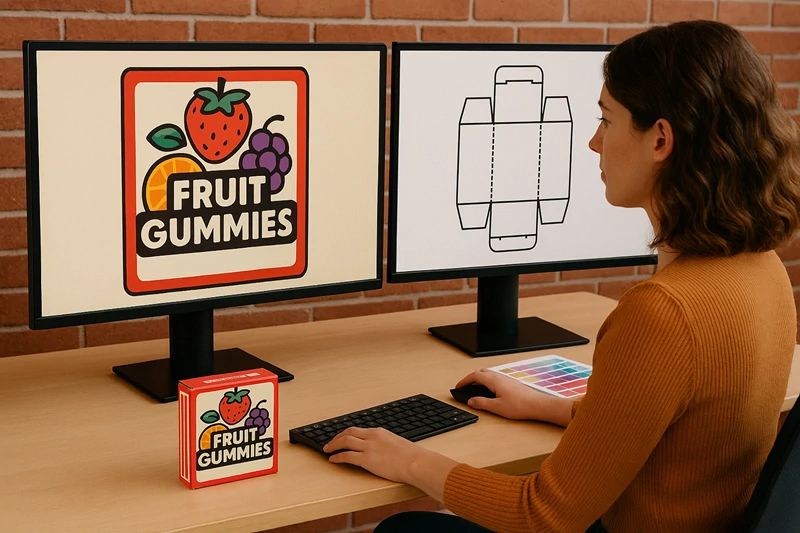
 Packaging development relies on both structural engineering and visual creativity. To create packaging that is both functional and visually appealing, businesses typically use two different types of software, CAD software and graphic design software.
Although they often work together within the same workflow, each has a very different purpose.
Understanding the difference between CAD and graphic design software is essential for packaging designers, converters, print companies, and brands looking to streamline production and improve packaging quality.
What Is CAD software?
CAD (Computer-Aided Design) software is primarily used to create the structural design of packaging.
In packaging production, CAD software focuses on the technical and engineering side of the package, including
- Dimensions and measurements
- Fold lines and crease patterns
- Cut lines and knife paths
- Material allowances
- Structural integrity
- Manufacturing specifications
- Production-ready files
CAD software ensures the packaging can be manufactured, folded, assembled, and perform correctly during shipping and retail display.
Unlike graphic design applications, CAD systems are highly precise and measurement-driven, allowing designers to create packaging structures with exact tolerances.
What Is graphic design software?
Graphic design software focuses on the visual appearance of the packaging.
These applications are used to create
- Branding elements
- Product graphics
- Logos
- Typography
- Colours
- Product photography
- Marketing messages
- Visual layouts
Graphic design tools help brands communicate identity, attract attention, and influence consumer perception.
Designers use graphic software to determine how the packaging will look visually, while CAD software determines how it will function structurally.
CAD vs Graphic design software, the core difference
The simplest way to understand the distinction is
- CAD software creates the structure
- Graphic design software creates the appearance
Both are essential, but they solve different problems within the packaging workflow.
CAD Software
- Structural engineering
- Measurements and dimensions
- Fold and cut lines
- Production files
- Packaging functionality
- Manufacturing accuracy
Graphic design software
- Visual creativity
- Colours and branding
- Typography and imagery
- Artwork layouts
- Consumer appeal
- Brand communication
Successful packaging projects require both systems to work together seamlessly.
Why CAD software is critical in packaging
Without accurate structural design, even visually impressive packaging may fail during production or assembly.
CAD software allows packaging teams to
- Design boxes and displays accurately
- Reduce production errors
- Test folds and assembly digitally
- Improve material efficiency
- Create manufacturing-ready dielines
- Accelerate prototyping
For packaging manufacturers, structural precision is essential for reducing waste, improving production speed, and ensuring consistent quality.
How KASEMAKE bridges structural and graphic design
KASEMAKE is widely recognised as a market-leading structural packaging design solution used throughout the packaging industry.
The software is designed specifically for creating accurate packaging structures, cutter guides, and manufacturing-ready dielines for cartons, corrugated packaging, displays, and bespoke packaging projects.
One of the major advantages of KASEMAKE is its ability to integrate smoothly with graphic design workflows.
The software allows users to
- Export cutter dielines to all commonly used graphic design software
- Create accurate 2D cutter guides for artwork placement
- Import completed artwork back into the structural design
- Fold flat packaging designs into realistic 3D renders
- Visualise fully artworked packaging before production
This integration helps structural designers and graphic designers collaborate more efficiently while reducing alignment errors between artwork and packaging structure. From Flat Dieline to 3D Packaging Render.
One of the biggest advantages of combining CAD and graphic design software is the ability to create realistic 3D packaging mockups before physical sampling begins.
The typical workflow looks like this 1. Structural design creation The packaging structure and cutter guide are created in KASEMAKE.
2. Dieline export The CAD dieline is exported into graphic design software where branding and artwork are applied.
3. Artwork integration Completed artwork is imported back into the CAD environment and aligned with the structural design.
4. 3D Rendering The flat packaging layout is digitally folded into a realistic 3D render.
This process allows brands and manufacturers to review packaging appearance, panel alignment, and shelf impact before producing physical prototypes.
Benefits of combining CAD and graphic design software
Using both technologies together creates a more efficient packaging workflow.
- Improved Accuracy
- Artwork aligns correctly with folds, panels, and cut lines.
- Faster Development
- Teams can make design revisions digitally before physical production.
- Better Collaboration
- Structural designers and graphic designers can work from the same packaging data.
- Reduced Waste
- Digital testing reduces unnecessary physical samples and production errors.
- Stronger Presentations
- 3D renders help brands visualise packaging concepts before approval.
Why 3D packaging visualisation matters
Modern packaging development increasingly depends on 3D visualisation tools.
The ability to fold a flat design into a fully rendered digital mockup helps businesses
- Evaluate shelf appeal
- Review branding placement
- Test structural functionality
- Present concepts professionally
- Speed up client approvals
The 3D capabilities within KASEMAKE allow packaging teams to identify potential design issues early, improving both efficiency and final packaging quality.
The future of integrated packaging design
As packaging projects become more demanding, the integration between structural CAD systems and graphic design software is becoming increasingly important.
Brands now expect packaging development workflows that are
- Faster
- More collaborative
- More sustainable
- More visually accurate
- More production efficient
By combining structural precision with creative design flexibility, businesses can create packaging that not only looks attractive but also performs effectively throughout manufacturing, shipping, retail display, and consumer use.
Final thoughts
CAD software and graphic design software serve very different purposes within packaging development, but both are essential for creating successful packaging solutions. CAD software focuses on structural engineering, production accuracy, folds, measurements, and cutter guides, while graphic design software focuses on branding, artwork, typography, and visual communication. Solutions such as KASEMAKE help bridge these two disciplines by enabling seamless movement between structural design, artwork integration, and realistic 3D visualisation. The result is a more efficient packaging workflow that improves collaboration, reduces errors, accelerates approvals, and helps brands bring better packaging products to market faster.
