
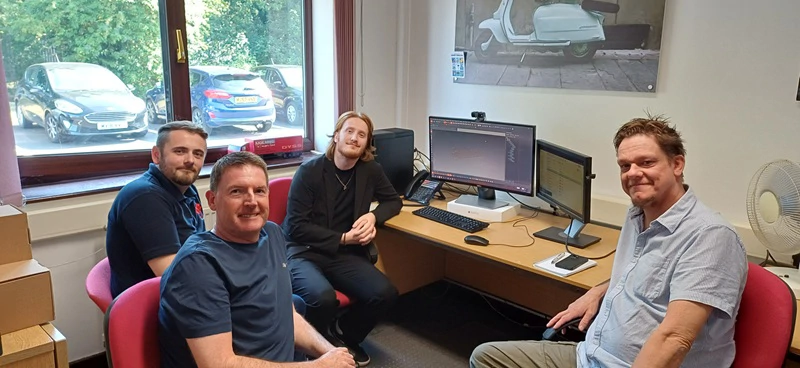
 Building design skills through collaboration Developing design skills is about more than learning new software features. It’s about discovering better ways of working, improving everyday processes and finding opportunities to make projects more efficient.
For Red Rose Packaging and Boxes and Packaging, both part of the Logson Group, a long-standing relationship with AG/CAD has helped the design teams continue to develop their knowledge of KASEMAKE and its powerful 3D design capabilities.
To build on their existing expertise, eight members of the design team took part in dedicated KASEMAKE training sessions. Combining face-to-face training at AG/CAD’s Cheshire office with online sessions delivered via TeamViewer, the programme offered a flexible, practical approach tailored to the team’s needs.
Covering both 2D and 3D functionality, the training helped designers strengthen their understanding of the software, explore previously underused tools and identify processes they could put into practice straight away.
Turning training into everyday improvements
The real value of training comes when new knowledge translates into tangible improvements in day-to-day work.
Since completing their sessions, the Logson Group design team has been applying their learning to live packaging projects, with KASEMAKE’s 3D tools playing a particularly important role.
Designers can now use 3D functionality to check fitments and tolerances, validate customer-supplied product files and identify potential issues before designs reach the CAD table. By addressing these considerations earlier in the process, the team can work with greater confidence while helping to save time and reduce unnecessary material use.
For Jaames, a member of the Boxes and Packaging Birmingham design team, the training was particularly valuable in building on his previous experience of 3D design.
“The course was really good. Even though I have some prior 3D experience from graphic design, learning where everything was located in KASEMAKE was super helpful, along with some great general 2D learning.”
That knowledge has quickly become part of his everyday workflow.
“The 3D tool has been helping me a lot and I am using it almost daily to check fitments, tolerances, and ensure customers' product files fit perfectly, especially when the design is rather large and saves on board.”
Although Jaames is still looking forward to exploring KASEMAKE’s texture and artwork functionality in greater depth, he is already seeing the benefits of putting his new skills into practice.
Discovering the full potential of KASEMAKE
Training can also reveal opportunities that go beyond introducing new features. Sometimes, the biggest improvements come from discovering tools that have been available for years but have never become part of the everyday workflow.
Adam, a designer at Red Rose Packaging, found the sessions particularly useful for understanding how the latest software capabilities could support his daily work, while also uncovering existing tools he had previously overlooked.
“It was a very informative experience learning the newest software and seeing how we can utilise it in our everyday jobs to aid us with 3D building. I also learned a great deal on tools and processes that have existed for a while on the software that I now utilise daily that I didn't know about before.”
This combination of learning new functionality and rediscovering existing features has helped the team make better use of the tools already at their disposal.
By identifying more efficient ways to complete familiar tasks, designers can streamline their workflows and get more value from their existing software investment.
Saving time and material before cutting begins
For Paul Barnes, Northern Regional Designer at Boxes and Packaging, the benefits of KASEMAKE training are particularly clear in his everyday use of 3D design tools.
Working closely with AG/CAD has helped Paul develop a deeper understanding of the software, from its 3D capabilities to useful commands within the 2D environment.
“I work closely with the AG/CAD team to get the best out of the software. The training gave me even more insight into the 3D tools available but also highlighted some really useful buttons and commands hiding in plain sight from the 2D side of KASEMAKE.”
Paul now uses KASEMAKE’s 3D functionality most days, making it an integral part of his design process before moving to physical cutting.
“I tend to use the 3D software most days. It saves me time and material before I even get in front of a CAD table to begin cutting out my designs.”
This ability to check and refine designs virtually is particularly valuable when working with complex packaging projects or designs where material efficiency is a priority.
Working confidently with customer-supplied 3D models
One of the most important applications of KASEMAKE’s 3D functionality is the ability to work with customer-supplied product models.
In some cases, the design team receives STEP files or other 3D models without ever having access to the physical product itself. Being able to work with these digital representations helps designers understand the product’s shape and dimensions, develop suitable packaging and assess fit before physical production begins.
As Paul explains:
“For some projects, we are given STEP files/3D models of the customer's product, and may never see the physical version. This is why the 3D section of the KASEMAKE software is crucial to my role.”
Working virtually in this way gives designers greater confidence when developing packaging and fitments, while helping them identify potential issues earlier in the process.
The result is a more informed design workflow, with opportunities to resolve problems before they lead to unnecessary cutting, material waste or additional work.
A partnership built on continuous improvement
The relationship between AG/CAD and the Logson Group extends beyond training sessions. It is an ongoing collaboration built around sharing knowledge, solving practical challenges and helping the software deliver the greatest possible value.
As everyday KASEMAKE users, the design teams are well placed to provide feedback based on their experience of real-world packaging projects. Their insights help highlight opportunities for improvement and inform the continued development of the software.
Paul sees this close working relationship as an important part of that process.
“As an everyday user of the KASEMAKE software, designers are best placed to advise and feedback possible improvements and ideas to AG/CAD, which I feel are always taken on board and implemented where possible.” * This two-way exchange benefits both organisations. The Logson Group design teams gain ongoing support and a deeper understanding of the software, while AG/CAD receives valuable practical feedback from designers using KASEMAKE in demanding, everyday working environments.
It is an approach that reinforces the value of long-term partnerships, where training, technical support and user feedback all contribute to continuous improvement.
Putting knowledge into practice
For Red Rose Packaging and Boxes and Packaging, the AG/CAD training has delivered more than an introduction to new software features. It has helped the design teams build confidence, uncover overlooked functionality and make greater use of the tools available within KASEMAKE.
From checking fitments and tolerances in 3D to working with customer-supplied STEP files and discovering more efficient 2D processes, the benefits are already being realised across everyday design work.
By combining hands-on training, flexible online support and an established working relationship, AG/CAD and The Logson Group have created a strong foundation for continued learning and development.
The result is a design team that can approach complex packaging projects with greater confidence, work more efficiently and identify opportunities to save time and material before production begins.
Want to get more from KASEMAKE?
Whether you’re looking to develop your team’s existing skills, explore KASEMAKE’s 3D capabilities or discover more efficient ways of working, AG/CAD can help you make the most of your software.
Get in touch with the AG/CAD team to discuss your KASEMAKE training requirements.
